PS5 Pro Explained: PSSR, Enhanced Games and What Changes
What the PS5 Pro actually adds: a stronger GPU, PSSR upscaling, better ray tracing, Enhanced games and Game Boost, plus what it leaves out.
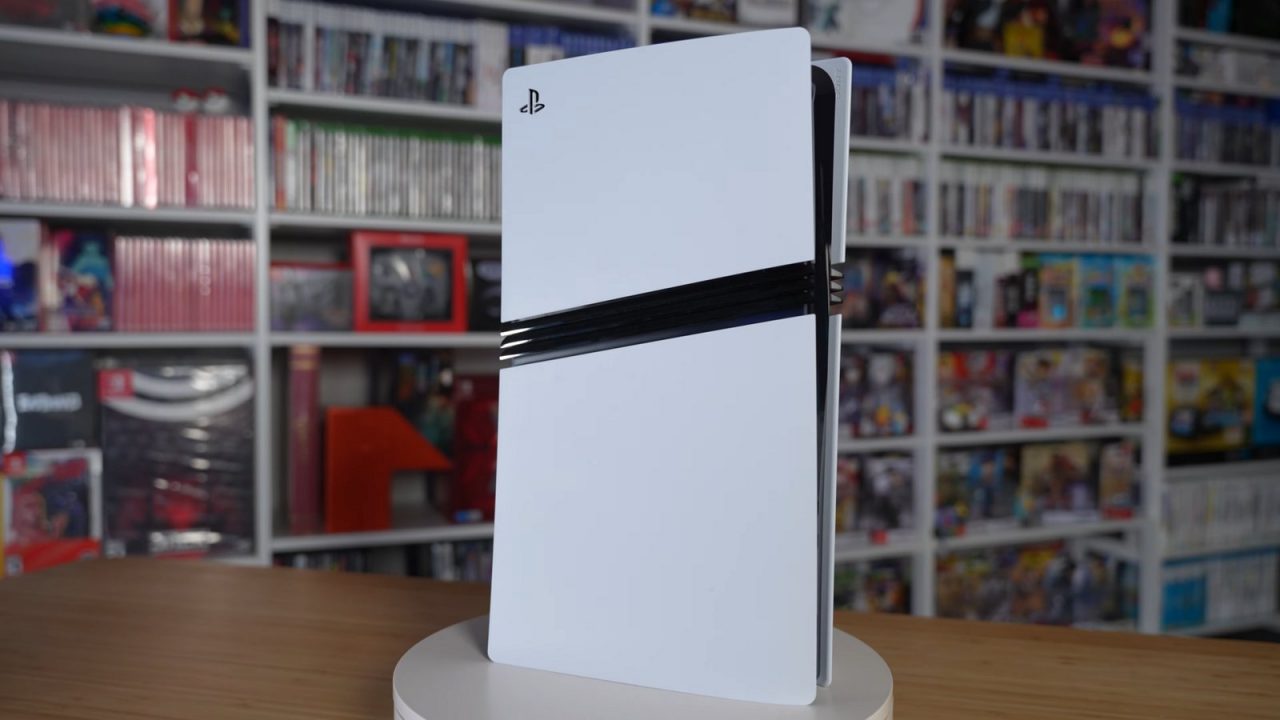
The PlayStation 5 Pro is a mid-generation upgrade rather than a new console generation. It plays the same library as every other PS5, uses the same accounts, controllers and accessories, and receives the same system updates. What it changes is how good those games can look and how smoothly they can run, especially on a 4K TV.
Sony announced the PS5 Pro on September 10, 2024, and released it on November 7, 2024. This guide explains what the Pro adds in practical terms, what it does not include, and how to get the most out of it. It deliberately stays at the console level; if you want to see where the Pro sits among all the PS5 revisions, our guide to every PS5 model covers the full lineup.
The short version: same games, more headroom
Every PS5 game runs on the PS5 Pro, and nothing is exclusive to it. The difference is that games can use the Pro’s extra power in three main ways:
- A substantially more powerful GPU than the standard PS5’s, giving developers more rendering headroom.
- Advanced ray tracing, used in some enhanced games for ray-traced reflections, shadows and global illumination.
- PlayStation Spectral Super Resolution (PSSR), an AI-based upscaler that reconstructs a sharper image from a lower internal resolution.
In practice, the most common result is that a game no longer forces as hard a choice between its performance mode and its quality mode. Many standard PS5 games offer either a sharp image at 30 frames per second or a softer image at 60. On the Pro, enhanced games often aim to deliver something close to the quality image at the higher frame rate.
PSSR: what AI upscaling actually does
Most console games do not render every frame at full 4K. Rendering at a lower resolution and then upscaling is far cheaper, and the quality of the upscaler decides how close the result looks to native 4K.
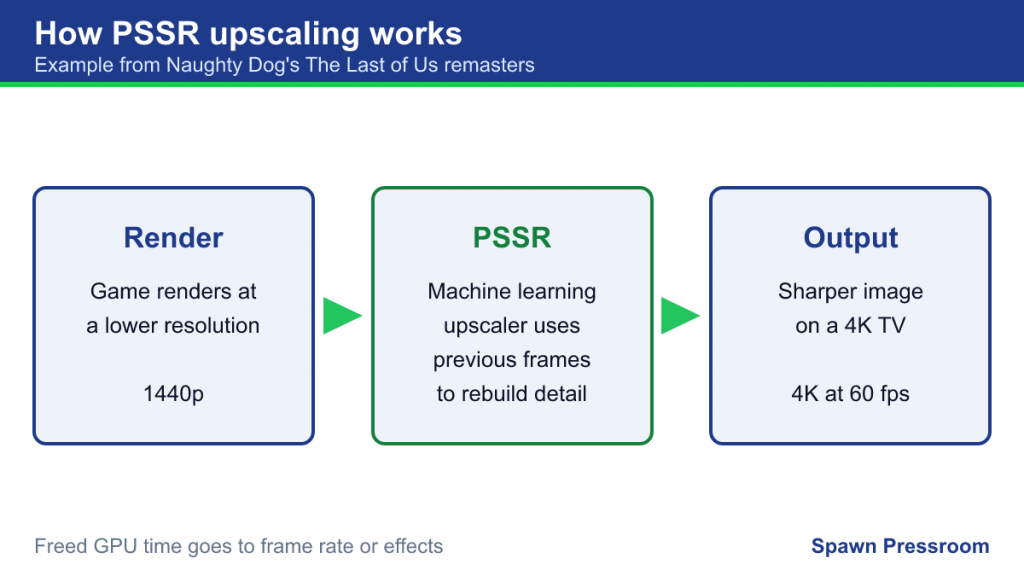
PSSR is Sony’s machine learning upscaler. It analyzes each frame, using information from previous frames, to reconstruct detail at a higher output resolution. Sony describes it as delivering “AI-enhanced resolution” for a sharper image on a 4K TV. Because the console can render at a lower resolution and let PSSR fill in the detail, developers free up GPU time for higher frame rates or more demanding effects.
For example, in Sony’s September 2024 developer roundup, Naughty Dog described rendering The Last of Us Part I and Part II Remastered at 1440p and upscaling to 4K with PSSR while holding 60 frames per second.
The upgraded PSSR
PSSR has not stood still. On March 16, 2026, Sony began rolling out an upgraded version of PSSR in a PS5 system update. According to the PlayStation Blog, the new version, developed with AMD through a collaboration Sony calls Project Amethyst, is more precise and more stable in motion and gives developers more control over the balance between performance and fidelity. Two points matter for players:
- Some games integrate the upgraded PSSR directly through their own patches.
- A system setting lets players apply the upgraded PSSR to existing Pro games that already use PSSR, even if those games have not been patched. Sony notes results vary by title and the option can be turned off if it causes unexpected visual effects.
What about AI upscaling on the standard PS5?
On October 1, 2026, Sony announced Quick Spectral Super Resolution (QSSR), a faster, lighter tier of its upscaling technology designed to run on the standard PS5, where full PSSR was too demanding. Sony says QSSR improves image detail and stability on the base console but does not match PSSR, which remains the top tier on PS5 Pro. It arrives as an option in supporting games, starting with patches for Marvel’s Wolverine and Ghost of Yotei, and Sony says it will be offered to all PlayStation developers.
Sony’s PS5 Pro page also describes an “Enhance PSSR Image Quality” setting that can improve image stability in some titles. If a game looks noticeably different after a system update, these settings are the first place to look.
PS5 Pro Enhanced games
Not every game takes advantage of the Pro in the same way. Games that developers have specifically updated carry the PS5 Pro Enhanced label. Sony’s footnote describes it as applying to “select PS5 games that have been enhanced for PS5 Pro,” with enhanced features varying by game and requiring a compatible display.
What “enhanced” means is up to each developer. Examples from Sony’s 2024 developer roundup include:
- Insomniac adding a new default “Performance Pro” mode to several of its games, combining 4K output and ray tracing at 60 frames per second.
- Square Enix adding an enhanced mode to Final Fantasy VII Rebirth that runs at 60 frames per second with resolution comparable to its standard graphics mode.
- Shift Up targeting 4K at 50 frames per second or higher in Stellar Blade, with an 80 fps option on 120Hz displays.
Sony said more than 50 enhanced games would be available at launch, and its PS5 Pro page now refers to over 100 enhanced PS5 titles. The list keeps growing as developers patch older games and release new ones with Pro support from day one. Look for the label on the game’s store page or box.
Game Boost: help for games that weren’t patched
What about the thousands of games that never receive a Pro patch? That is where PS5 Pro Game Boost comes in. Sony describes it as a feature that aims for faster, smoother frame rates in some PS4 and PS5 games by letting them use the extra GPU power without any work from the developer.
Game Boost helps most with games that have an unlocked or variable frame rate, where extra power translates directly into a steadier experience. Games locked to a fixed frame rate cannot run faster than that limit. Sony notes that a small number of PS4 games are not compatible with PS5 Pro Game Boost. For how PS4 games run on PS5 hardware in general, see our PS5 backward compatibility guide.
What the PS5 Pro does not include
A few things surprise new owners, so it is worth being clear about them.
No disc drive in the box
The PS5 Pro has no built-in disc drive. If you want to play physical games or watch 4K Blu-rays, you need the separately sold PS5 disc drive, the same detachable drive used by the slimmer PS5 Digital Edition. Sony says it plays PS5 discs and supported PS4 discs as well as Ultra HD Blu-ray, Blu-ray and DVD.
No vertical stand
If you want the Pro standing upright, the vertical stand is a separate purchase.
No exclusive games
The Pro does not have its own games. Everything that runs on it also runs on a standard PS5; the Pro simply runs some of them better.
No change to your library or account
Your games, saves, trophies and subscriptions work exactly the same. You can move data from a PS4 or PS5 to a PS5 Pro using Settings > System > System Software > Data Transfer, with both consoles on the same network.
Other hardware differences
- Storage: 2TB of internal SSD storage, part of which is reserved for system software. Like other PS5 models, it has an M.2 slot for expansion.
- Wi-Fi 7: the Pro supports the newest Wi-Fi standard, which Sony says can reduce latency and improve stability with a compatible router. It still works with Wi-Fi 6 and Wi-Fi 5 routers.
- Same controller: the Pro ships with a standard DualSense and works with every PS5 controller and accessory.

Getting the most from a PS5 Pro
The Pro’s advantages depend heavily on your display and settings:
- Use a 4K TV. PSSR and the extra rendering power are aimed at 4K output. On a 1080p screen, the difference is much smaller.
- Enable 120Hz and VRR if your TV supports them. Some enhanced games offer high frame rate modes, and VRR smooths frame rate variations. Our guide to TV settings for PS5 and Xbox explains how.
- Check each game’s modes. Enhanced games often add new Pro-specific modes or change the default. Revisit the graphics menu of games you already own after patches.
- Review the Pro-specific system settings. Game Boost and the PSSR options can be toggled; leave them on unless a particular game shows issues.
- Keep the system updated. Upgrades such as the 2026 PSSR improvement arrive through system software.
Is the PS5 Pro the right model for you?
We don’t do pricing comparisons, but the decision usually comes down to a few questions. Do you have, or plan to get, a 4K TV? Do you play many demanding new releases that offer Pro enhancements? Do you notice and care about the difference between 30 and 60 frames per second, or between a soft and a sharp image? If the answers are mostly yes, the Pro’s benefits are real and visible. If you mostly play older games, indies, or on a 1080p screen, a standard PS5 runs the same library and the gap is much smaller. And if you own a lot of physical games, factor in the need for the separate disc drive.
Frequently asked questions
Do I need to buy new versions of my games for the Pro?
No. Enhancements arrive as free updates to the games you already own, and Game Boost works automatically. There is no separate “Pro edition” to buy.
Can a PS5 Pro play games from a PS4 disc?
Yes, once the separately sold disc drive is attached. Sony says the drive plays PS5 discs and supported PS4 discs.
Will PSSR make every game look better?
Only games that use PSSR benefit from it directly. Enhanced games may use it by default, the system setting can apply the upgraded version to games that already support PSSR, and other games rely on Game Boost instead. Results vary from game to game.
Does the Pro change online play or matchmaking?
No. PS5 and PS5 Pro owners play together in the same online games, using the same PlayStation Network account and subscriptions.