PS5 Backward Compatibility: What Plays and How
How PS4 games run on PS5, what Game Boost does, which titles don't work, how PS4-to-PS5 upgrades and saves work, and where PS1, PS2 and PS3 games fit in.
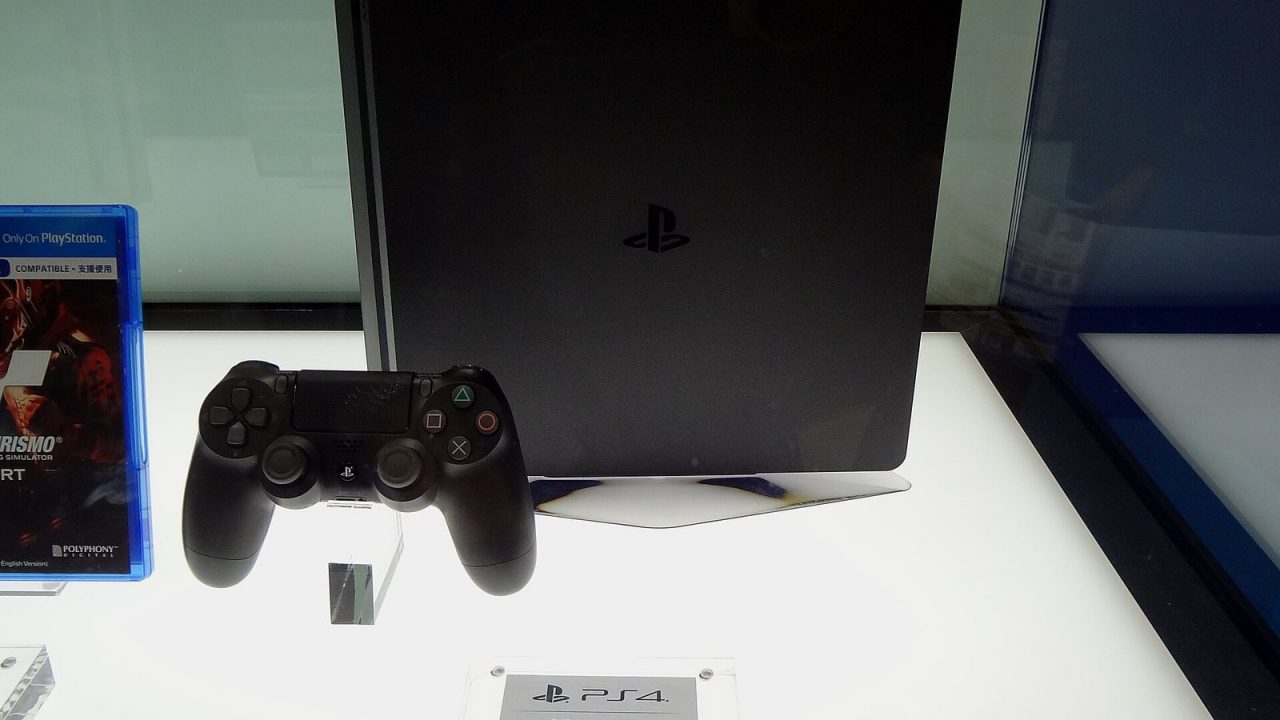
One of the most practical things about the PS5 is that it does not ask you to abandon your PS4 library. Most PS4 games, whether on disc or bought digitally, run on a PS5, and many run better than they did on the hardware they were made for. The picture for older generations is very different, though: the PS5 cannot read PS3, PS2 or PS1 discs, and those games reach the console only through PlayStation Plus or separate re-releases. This guide explains what plays, how to get it running, what you might lose along the way and how to move your progress across.
PS4 Games on PS5: The Big Picture
According to PlayStation Support, “the overwhelming majority of the 4,000+ PS4 games are playable on PS5 consoles.” Sony’s PS5 marketing page puts the figure differently, at over 8,500 PS4 games; the larger number appears to count a broader set of releases on the PlayStation Store. Either way, the takeaway is the same: if a game came out on PS4, it very likely runs on a PS5.
There are no separate “backward compatible editions.” You play the same PS4 game you already own:
- Digital PS4 games appear in your PS5 game library and can be downloaded directly.
- PS4 discs work on any PS5 with a disc drive attached. Insert the disc, download any required update, and the game appears on the home screen. The disc must stay in the drive while you play.
- PS4 games on a USB drive previously used with a PS4 can be accessed directly by the PS5, saving download time.
The PS5 Digital Edition models without a drive cannot use PS4 discs. If you own a Slim Digital Edition or PS5 Pro, attaching the detachable disc drive solves that; the original 2020-era Digital Edition cannot take that drive. Our guide to every PS5 model explains which consoles can accept it.
Which PS4 Games Don’t Work
Sony maintains a short list of PS4 titles that are not playable on PS5. At the time of writing, its support page lists:
- Afro Samurai 2 Revenge of Kuma Volume One
- Just Deal With It!
- Robinson: The Journey
- We Sing
- Hitman Go: Definitive Edition
- Shadwen
Sony notes that the list can change and that it excludes demos, media apps and non-game applications. On the PlayStation Store, incompatible games are labeled “Playable on: PS4 only.” Sony also warns that some compatible games may show errors or unexpected behavior, and it recommends starting a PS4 game on your PS5 before buying add-ons for it.
Game Boost: Why Some PS4 Games Run Better
When a PS4 game runs on PS5, it can benefit from the newer console’s faster processor and storage. Sony calls this Game Boost. In supported titles, it can deliver higher or steadier frame rates, and the PS5’s SSD typically shortens loading times compared with a PS4’s hard drive.
A few important details:
- Results vary by game. Games with an unlocked frame rate tend to benefit most. Games locked to 30 frames per second usually stay at 30 unless the developer releases a patch.
- Developer patches go further. Some PS4 games received updates that unlock higher frame rates or resolutions specifically on PS5.
- PS4 Pro modes. Many PS4 games that had enhanced modes for the PS4 Pro use those modes on PS5, which usually means better image quality than the base PS4 version.
- PS5 Pro. The PS5 Pro has its own version of Game Boost that Sony says can improve performance in some PS4 and PS5 games.
Features You May Lose With PS4 Games
PlayStation Support lists a handful of PS4 features that do not carry over:
- The PS4’s SHARE menu does not appear during PS4 gameplay on PS5; use the PS5’s Create button (or the SHARE button on a DUALSHOCK 4) instead.
- Some games record captures at 1920×1080 even when you choose 4K.
- Tournaments, In-Game Live from PlayStation, the PS4 Second Screen app and game companion apps are not supported.
- HDR turns on automatically for PS4 games if your setup supports it; you can disable it under Settings > Screen and Video > Video Output > HDR.
PS4 games also do not gain PS5-specific features such as Activity cards, haptic feedback or adaptive triggers unless they are upgraded to a PS5 version.
Controllers and Accessories With PS4 Games
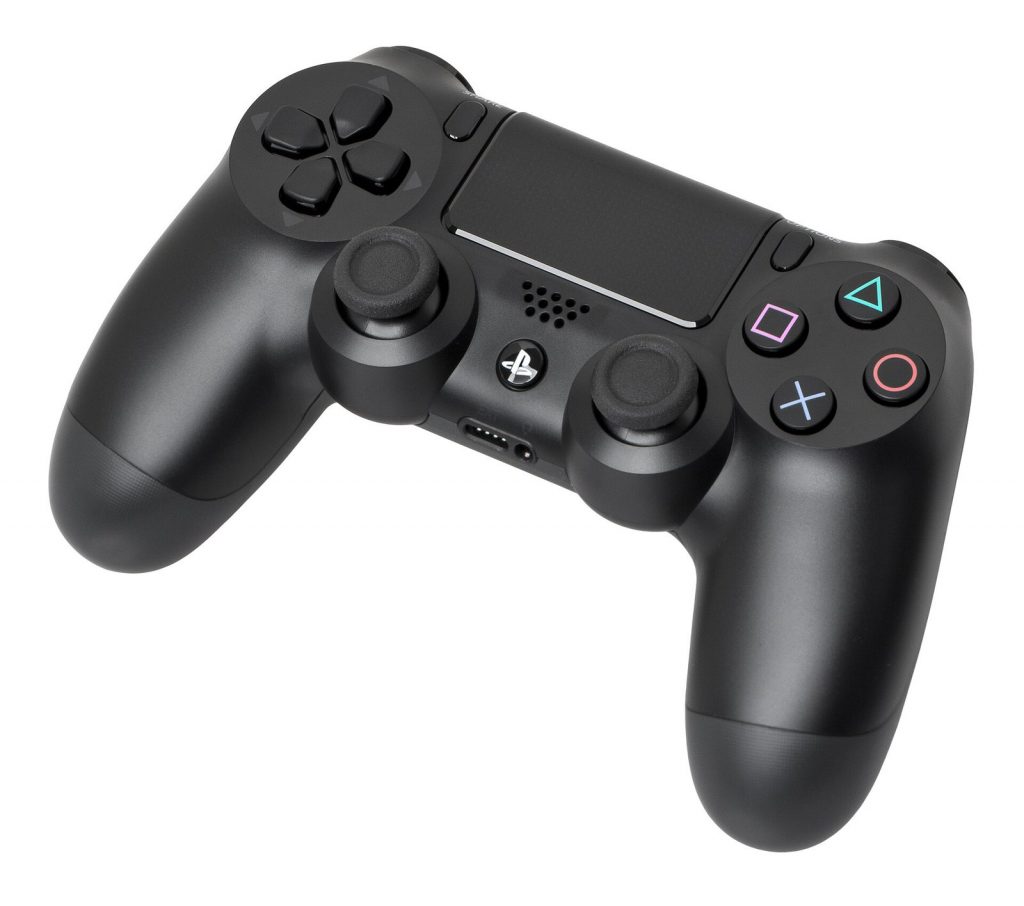
- A DUALSHOCK 4 works with supported PS4 games on PS5, but PS5 games require a DualSense.
- The DualSense also works with PS4 games.
- Racing wheels, arcade sticks and flight sticks made for PS4 generally work with supported PS4 games, but not every third-party device is guaranteed; check with the manufacturer.
- Many USB and wired headsets work, though PS4 headset companion apps do not.
Upgrading PS4 Games to PS5 Versions
Some games exist in both PS4 and PS5 versions. Depending on the publisher, the upgrade from one to the other can be free or paid.
How upgrades usually work
- Free upgrades. If a game offers a free upgrade, owning the PS4 version entitles you to the PS5 version. On the PS5, the PS5 version appears in the Store or the game hub with a download option.
- Paid upgrades. Some publishers charge an upgrade fee to move from the PS4 to the PS5 version.
- Disc versions. Upgrading a PS4 disc to a digital PS5 version requires a PS5 with a disc drive, and the PS4 disc must be inserted whenever you play the upgraded PS5 version.
- Exclusions. PS4 games claimed through PlayStation Plus Monthly Games are generally not eligible for PS5 upgrades.
The PS3-to-PS4 upgrade trap
Sony’s support page notes that PS4 digital games obtained through a PS3-to-PS4 upgrade program that requires the PS3 disc cannot be played on PS5, because the PS5 cannot read PS3 discs.
Check before you pay
When you look at a game in the PlayStation Store, check whether you are buying the PS4 version, the PS5 version or a bundle that includes both. The two versions can have different trophies lists, and some games treat them as separate products.
Moving Saves From PS4 to PS5
There are several ways to bring your progress across, and the right one depends on the game.
- Data transfer over Wi-Fi or LAN. During PS5 setup, or later from the settings menu, you can transfer digital games and save data from a PS4 to a PS5 on the same network.
- PlayStation Plus cloud storage. PS Plus members can upload PS4 saves from the PS4 and download them on the PS5.
- USB drive. Copy PS4 saves to a USB drive on the PS4, then copy them onto the PS5.
- In-game transfer. When a game has a separate PS5 version, the PS4 save often has to be imported from inside the PS5 version, usually from a menu option. Some games handle this automatically; a few do not support it at all.
The key distinction: transferring a PS4 save lets you continue the PS4 version on PS5 every time, but continuing in a PS5 version depends on the publisher supporting save import.
PS1, PS2 and PS3 Games: Only Through PlayStation Plus and Re-releases
The PS5 does not read PS3, PS2 or PS1 discs, and older games from those generations cannot be installed from disc. Sony’s support page states plainly that PS5 consoles don’t support PS3 discs. That is a hardware and architecture issue: the PS3’s Cell processor in particular is very different from the PS5’s x86-based design.
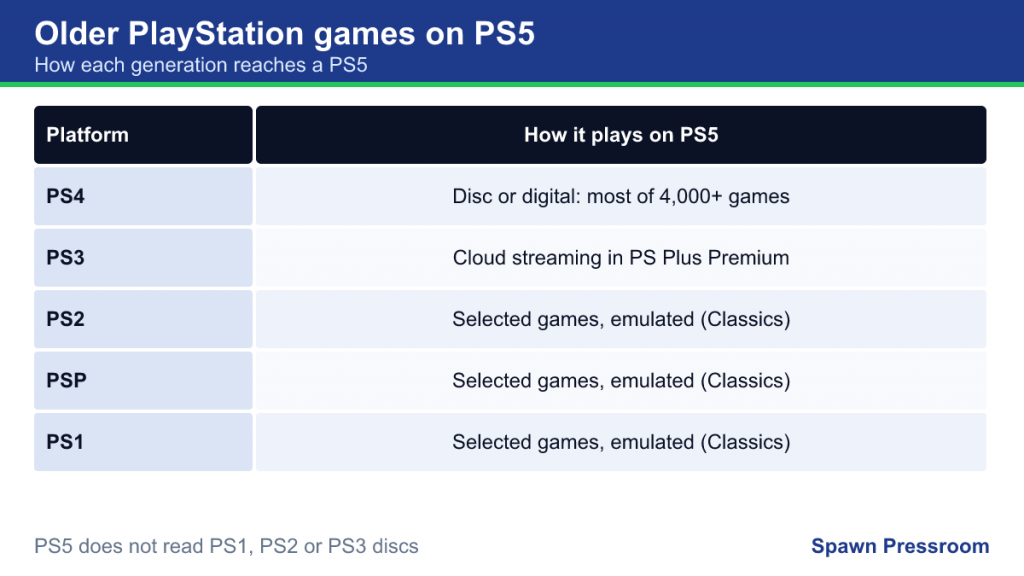
The official route to older games on PS5 is the Classics Catalog in PlayStation Plus Premium. It offers selected original PlayStation, PS2 and PSP games through emulation, along with selected PS3 titles through cloud streaming. Some of those classics can also be bought individually on the PlayStation Store. Our guide to PlayStation Plus tiers explains what Premium includes and how it differs from Extra.
Beyond that, many older games have been remastered or remade for PS4 or PS5, which is often the best way to play them today.
Frequently Asked Questions
Do I need PlayStation Plus to play PS4 games on PS5?
No. PS4 games you own run on PS5 without any subscription. PlayStation Plus is only needed for online multiplayer in most paid games, for cloud saves and for catalog benefits such as the Classics Catalog.
Do PS4 trophies count on PS5?
Yes. Trophies are tied to your account, so trophies earned in a PS4 game on PS5 appear on the same profile. If a game has separate PS4 and PS5 versions, each version may have its own trophy list.
Can I play PS4 games on the PS5 Pro?
Yes. The PS5 Pro has the same backward compatibility as other PS5 models, and its own Game Boost may further help some titles.
Will my PS4 external hard drive work?
A USB drive used as extended storage on PS4 can be connected to a PS5, which can then run PS4 games directly from it. PS5 games, however, must be played from internal storage or a compatible M.2 SSD.
Quick Troubleshooting Tips
- A PS4 disc won’t start: make sure the console is online to download the required update, and check that the disc is a PS4 disc, not PS3.
- The PS5 version doesn’t appear after an upgrade: look in the game hub for a version selector; the PS4 version is sometimes launched by default.
- A PS4 game looks washed out: try toggling HDR in the video output settings, as some older games handle HDR poorly.
- Your save isn’t found: confirm whether you are in the PS4 or PS5 version of the game; saves for each may be stored separately.