Xbox Series X vs Series S: What Actually Differs
Xbox Series X and Series S play the same games but differ in GPU power, resolution, memory, storage and discs. Here is what each difference means in practice.
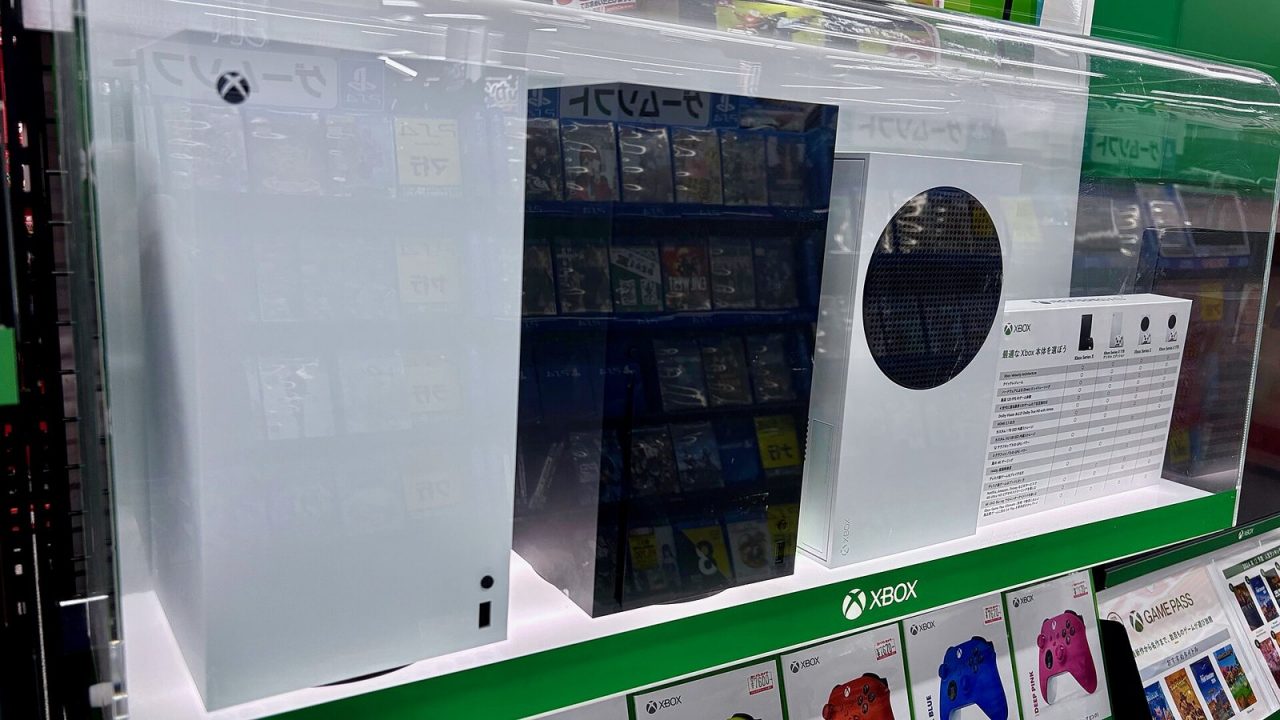
Microsoft launched two consoles on the same day, November 10, 2020, and gave them almost identical names. That decision has confused shoppers ever since. The Xbox Series X and Xbox Series S share a processor architecture, a controller, a dashboard and the same game library, yet they are built for different screens and different budgets of space and storage. This guide sets out the specifications that actually differ, explains what each one means when you sit down to play, and covers every official model currently listed by Microsoft.
One Generation, Two Targets
The simplest way to understand the pair is to look at the resolution each is designed for. Microsoft describes the Series X as delivering “true 4K” gaming, while the Series S targets 1440p. Both list a performance target of up to 120 frames per second, though that depends on the game and on a display that supports 120Hz.
Everything else follows from that split. A console aimed at native 4K needs a larger graphics processor, more memory and more memory bandwidth. A console aimed at 1440p can use a smaller chip, less memory and a smaller box. Game developers build one game for the “Series X|S” platform and then tune settings for each machine, so the Series S version of a game typically runs at a lower resolution, sometimes with reduced effects, while keeping the same content, levels and features.
Importantly, there are no Series X-only or Series S-only games. Any game sold for Xbox Series X|S runs on both, because Microsoft’s platform policy treats them as one generation that games must support together.
Specifications Side by Side
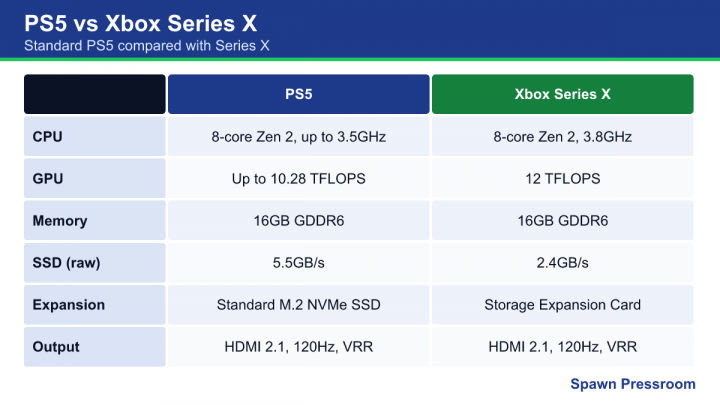
These figures come from Microsoft’s official spec pages on Xbox.com.
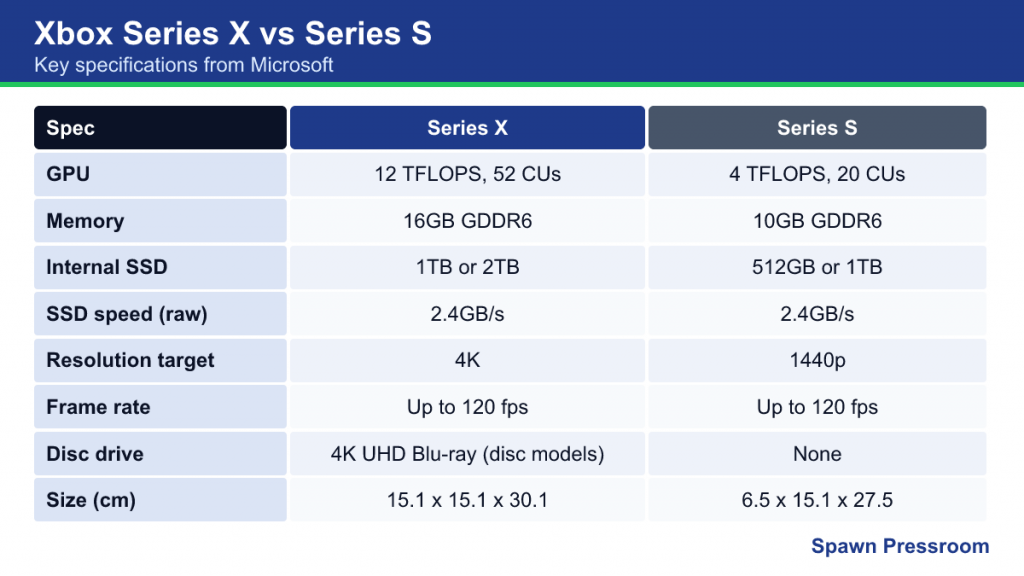
| Spec | Xbox Series X | Xbox Series S |
|---|---|---|
| CPU | 8 cores, 3.8GHz (3.6GHz with SMT), custom Zen 2 | 8 cores, custom Zen 2 (slightly lower clock) |
| GPU | 12 TFLOPS, 52 compute units at 1.825GHz, custom RDNA 2 | 4 TFLOPS, 20 compute units at 1.565GHz, custom RDNA 2 |
| Memory | 16GB GDDR6 (320-bit bus) | 10GB GDDR6 (128-bit bus) |
| Internal storage | 1TB or 2TB custom NVMe SSD | 512GB or 1TB custom NVMe SSD |
| I/O throughput | 2.4GB/s raw, 4.8GB/s compressed | 2.4GB/s raw, 4.8GB/s compressed |
| Gaming resolution target | 4K | 1440p |
| Frame rate target | Up to 120 fps | Up to 120 fps |
| Disc drive | 4K UHD Blu-ray (disc models only) | None |
| Size | 15.1 x 15.1 x 30.1 cm | 6.5 x 15.1 x 27.5 cm |
Note the line that does not change: storage speed. Both consoles use the same custom SSD and Xbox Velocity Architecture, so load times and Quick Resume behave very similarly. The difference in loading is usually small compared with the difference in image quality.
Graphics Power and Resolution in Practice
The Series X GPU has roughly three times the raw compute of the Series S GPU. On a 4K television, this is the difference most players notice. Games on Series X often run at or near native 4K in their quality modes, or at high resolutions in performance modes. On Series S, the same games commonly render well below 4K and rely on upscaling; the console can output a 4K signal, but the game itself is usually drawn at a lower internal resolution.
On a 1080p or 1440p screen the gap narrows. If your display is 1080p, many of the Series X’s extra pixels are simply scaled down, and the Series S is a closer match for what the screen can show. That is why the Series S has often been recommended for bedrooms, smaller monitors and secondary TVs.
Ray tracing and effects
Both GPUs support hardware-accelerated ray tracing because both use RDNA 2. In practice, developers sometimes reduce or remove ray-traced effects on Series S to hold frame rates, while keeping them on Series X. It varies by game, so it is worth checking a specific title’s Series S modes if a feature matters to you.
Memory: The Quiet Difference
The Series S has 10GB of memory versus 16GB on the Series X, and its main pool is slower. Developers have spoken publicly about this being one of the trickier parts of supporting Series S, because texture quality and scene complexity depend heavily on memory. For players, the visible results are lower-resolution textures or reduced detail in some Series S versions, and occasionally features arriving later on Series S than on Series X.
Memory also explains one backward compatibility rule, covered below: the Series S has less RAM than the Xbox One X (12GB), so it cannot run the Xbox One X-enhanced versions of older games.
Storage: Capacity, Not Speed
Storage is where many Series S owners feel the pinch first. The original Series S has a 512GB SSD, and a portion is reserved for the system, leaving noticeably less for games. Modern games regularly exceed 100GB, so a 512GB console can fill up after only a handful of large installs.
The good news is that the Series S version of a game is often smaller than the Series X version, because Smart Delivery downloads assets suited to the console, such as lower-resolution textures. Even so, capacity remains the main reason Microsoft added a 1TB Series S, first in Carbon Black (2023) and later in Robot White.
Both consoles accept the same expansion options:
- Storage Expansion Cards that plug into the rear slot and behave exactly like internal storage, so Series X|S games can run from them.
- USB 3.1 external drives, which can store any game and can play Xbox One, Xbox 360 and original Xbox titles directly. Series X|S-optimized games must be moved back to fast storage to play.
The Disc Drive Question
The Series S has no disc drive in any version, and Microsoft states that disc-based games are not compatible with it. Everything must be downloaded from the Microsoft Store or played through Game Pass.
The Series X originally came only with a 4K UHD Blu-ray drive. In 2024 Microsoft added an all-digital Series X in Robot White, which shares the same internal performance but drops the drive and weighs less. If you have a collection of Xbox One or Xbox 360 discs, or you want to watch 4K Blu-ray movies, you need a disc-equipped Series X.
A practical tip: a disc drive does not mean “no downloads.” Disc installs typically still pull large updates, and the disc acts as the license, so it must be in the drive to play.
Every Official Model
As of October 2026, Microsoft’s Xbox.com lists the following configurations (availability varies by region, and limited editions come and go):
| Model | Storage | Disc drive | Color |
|---|---|---|---|
| Xbox Series X | 1TB | Yes | Carbon Black |
| Xbox Series X Digital Edition | 1TB | No | Robot White |
| Xbox Series X Galaxy Black Special Edition | 2TB | Yes | Galaxy Black |
| Xbox Series S | 512GB | No | Robot White |
| Xbox Series S | 1TB | No | Carbon Black or Robot White |
The performance of every Series X variant is identical; only storage, color and the drive change. The same is true across Series S variants.
Backward Compatibility Differences
Both consoles play thousands of Xbox One games plus the curated library of Xbox 360 and original Xbox titles. Both also offer Auto HDR, faster loading and, in selected titles, FPS Boost. But there is one meaningful split:
- Series X runs the Xbox One X-enhanced versions of games where they exist, so older titles that had 4K or higher-detail modes on One X keep those benefits, often with steadier frame rates.
- Series S runs the Xbox One S versions of Xbox One games. Microsoft confirmed this before launch. It still improves them with better texture filtering, more consistent frame rates, faster loading and Auto HDR.
For original Xbox and Xbox 360 titles enhanced through the backward compatibility program, both consoles apply resolution boosts, with the Series X going further.
Size, Noise and Where Each Fits
The Series X is a tower, 30.1cm tall, that can also lie on its side. It needs breathing room above for its top-mounted fan. The Series S is a much smaller, flat box that fits easily into a crowded TV unit or on a desk beside a monitor. Both are generally quiet in normal use. Both have a single HDMI 2.1 output with support for Auto Low Latency Mode and variable refresh rate on compatible displays.
Who Each Console Suits
Choose a Series X if:
- You play on a 4K TV and care about image sharpness.
- You own physical Xbox games or watch 4K Blu-ray discs (disc models).
- You want Xbox One X enhancements in older games.
- You install many large games and prefer 1TB or 2TB from day one.
Choose a Series S if:
- Your screen is 1080p or 1440p, or the console is for a second room.
- You play mainly digital games or through Game Pass.
- Space is tight, or you want a console that is easy to move.
- You are happy to manage storage, or you pick the 1TB model.
Common Misconceptions
- “Series S games are a different version.” They are the same game and the same purchase; Smart Delivery installs the correct build automatically, and saves carry over through the cloud.
- “Series S cannot do 120fps.” It can in games that support 120fps modes on Series S, with a compatible display.
- “The Digital Series X is slower.” It has the same GPU, CPU, memory and SSD as the disc model.
- “You can add a disc drive to a Series S.” There is no official drive accessory for either all-digital Xbox.